

Our Verdict
All three tools can help a household get its spending under control - none has a monopoly on results. The tool you'll actually use consistently is the one worth choosing. Start simple, review what's working after 60 days, and adjust.
| Best for | Recommended |
|---|---|
| Those who prefer a tactile, distraction-free experience | Pen-and-paper |
| Households that want full control over categories and formulas | Spreadsheets |
| Busy families who want automation and real-time spending alerts | Budgeting apps |
| Anyone starting their first-ever budget | Pen-and-paper or a simple spreadsheet |
Why the Tool You Choose Actually Matters
Budgeting methods - zero-based, envelope, percentage-based - get a lot of attention. But the tool you use to execute that method matters just as much. A system you abandon after two weeks isn't helping anyone.
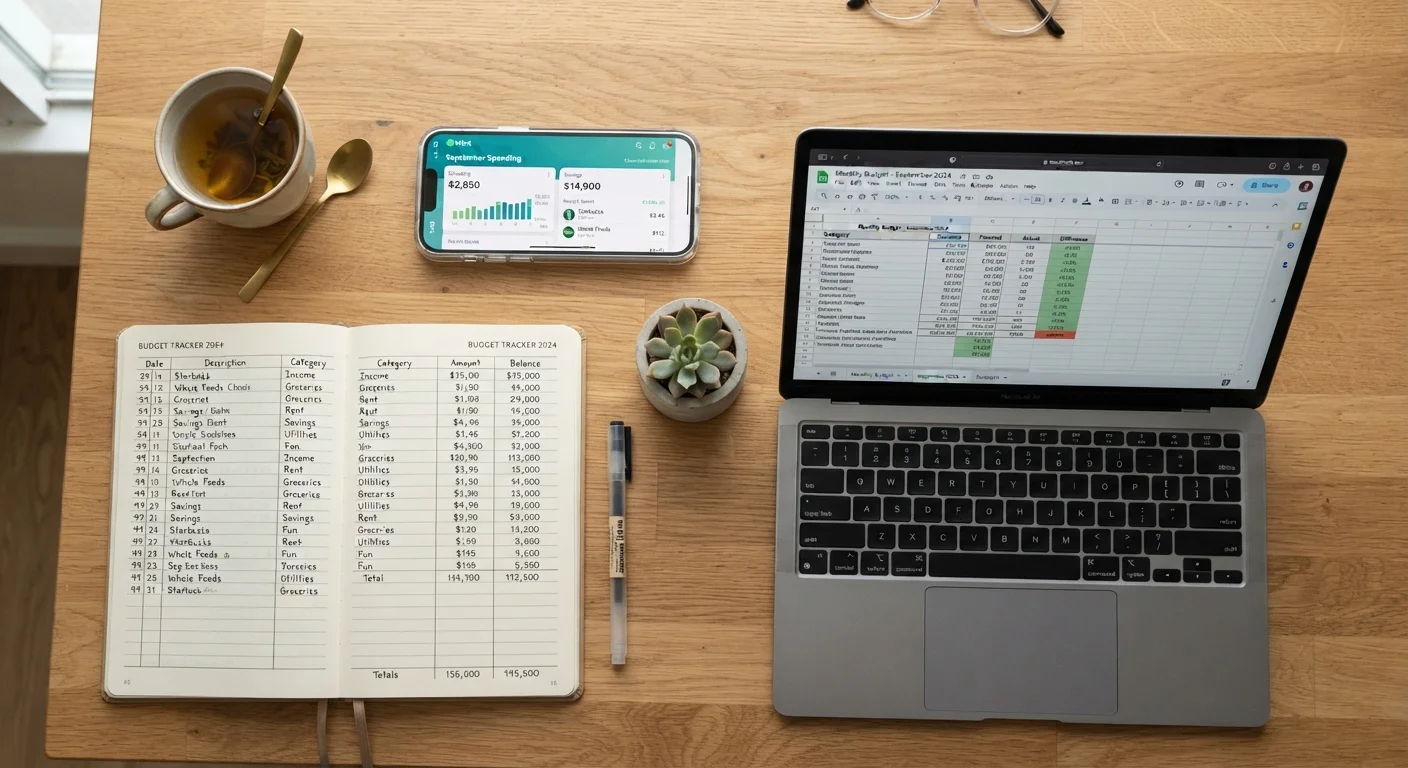
The three most common options are pen-and-paper, spreadsheets, and budgeting apps. Each one handles the same basic job: tracking what comes in, what goes out, and what's left. Where they differ is in effort, flexibility, privacy, and how well they fit into daily life. For a deeper look at foundational budgeting concepts, see our guide for first-time budgeters.
| Pen-and-Paper | Spreadsheets | Budgeting Apps | |
|---|---|---|---|
| Setup cost | Near zero | Free to low cost | Free to ~$15/month |
| Ease of setup | Immediate | Moderate - template or build | Quick - account linking required |
| Transaction entry | Fully manual | Mostly manual | Largely automated |
| Customization | Unlimited, but unstructured | Highly flexible | Limited to app categories |
| Data privacy | Entirely private | Private if stored locally | Shared with third-party service |
| Partner sharing | Difficult | Easy (cloud-based) | Easy (shared account) |
| Best for | Hands-on, tactile learners | Detail-oriented households | Busy families wanting automation |
Pen-and-Paper: Simple, Slow, and Surprisingly Effective
Writing your budget by hand forces you to slow down and engage with every number. Research on learning and memory consistently shows that handwriting reinforces retention better than typing - and that principle applies to financial decisions too. When you physically write "$340 on groceries," it tends to register differently than a number auto-populated in a cell.
What works well: No software to learn, no account syncing, no subscription fee. A $2 notebook is all you need. This approach pairs naturally with cash-based methods like envelope budgeting - see our look at envelope budgeting in a modern household for how families make it work today.
What to watch for: Manual entry every time you spend is time-consuming. Math errors happen. And if you share finances with a partner, keeping one notebook in sync is harder than sharing a digital file.
Try a One-Month Paper Trial First
If you've never budgeted before, spending one month with a handwritten budget - even a rough one - can clarify which categories matter most and how your money actually flows. That foundation makes any digital tool you adopt afterward much easier to set up accurately. You can always upgrade your system once you know your own patterns.
Spreadsheets: Flexible, Powerful, and Worth the Setup Time
A well-built spreadsheet can do almost anything you ask of it. You can create custom categories, build running totals, track year-over-year trends, and adjust formulas to match your exact household setup. Free templates are widely available through Google Sheets and Microsoft Excel, so you don't have to start from scratch.
What works well: Full control over structure and formatting. Easy to share with a partner. Data stays on your own device or a private cloud account - nothing is sent to a third-party financial service. Formulas eliminate most of the arithmetic errors common to handwritten budgets.
What to watch for: Transactions still need to be entered manually unless you export data from your bank (a process that varies by institution). For households with many spending categories or irregular income, keeping a spreadsheet current takes discipline. If you're new to budgeting, a complex spreadsheet can feel overwhelming before you've even started.
Budgeting Apps: Automated Tracking With Real Trade-Offs
Budgeting apps link directly to your bank accounts and credit cards, pulling in transactions automatically and sorting them into categories. For a busy household, that automation removes a significant friction point - you don't have to remember to log the $47 you spent at the hardware store.
What works well: Real-time visibility into spending. Alerts when you approach a category limit. Easy access from your phone. Many apps are free or low-cost, and some offer goal-tracking features alongside basic budgeting. This can be especially useful for families focused on building savings or paying down debt.
What to watch for: Connecting financial accounts to a third-party app does carry data-sharing implications worth understanding. Read the privacy policy before you sign up, and check whether the app sells anonymized data. Auto-categorization also makes mistakes - a restaurant charge might get filed under "entertainment" when it belongs in "food." You still need to review the data regularly, not just trust it. For a broader look at how different tracking styles fit different personalities, our article on tracking where your money goes covers the full range.
How to Pick the Right Tool for Your Household
Start with the method you'll realistically maintain. If you're not comfortable sharing bank credentials with an app, a spreadsheet or notebook is a better fit - not a compromise. If manual data entry sounds like the reason you've quit budgets before, an app may remove enough friction to make the habit stick.
A few questions worth asking:
- Do you share finances with a partner? Digital tools (spreadsheet or app) are easier to keep in sync.
- How variable is your income or spending? Spreadsheets handle irregular situations more flexibly than most apps.
- How comfortable are you with financial data privacy trade-offs? Paper and spreadsheets keep your data entirely in your own hands.
- Are you new to budgeting? Starting simple - even a single-page handwritten budget - builds the habit before you add complexity.
For households still figuring out which budgeting method to use alongside these tools, our complete household budgeting guide walks through the full process from setup to long-term habits.
This article is for general informational purposes only and does not constitute personalized financial advice. Consider consulting a qualified financial professional for guidance specific to your situation.
The content provided on our blog site traverses numerous categories, offering readers valuable and practical information. Readers can use the editorial team’s research and data to gain more insights into their topics of interest. However, they are requested not to treat the articles as conclusive. The website team cannot be held responsible for differences in data or inaccuracies found across other platforms. Please also note that the site might also miss out on various schemes and offers available that the readers may find more beneficial than the ones we cover.