

Why Paper Clutter Has Such Stubborn Staying Power
Paper arrives constantly and from every direction: daily mail, school backpacks, shopping receipts, takeout menus, product manuals, insurance explanations of benefits, and financial statements. Unlike a pile of dishes, paper doesn't broadcast urgency-it sits quietly while the stack grows. Most households don't struggle with paper because they're disorganized by nature; they struggle because no one ever set up a system for what should happen to a piece of paper the moment it crosses the threshold.
The core problem is deferred decisions. When mail lands on a counter without a clear next step, it becomes a physical to-do item with no deadline. That item gets shuffled during the next tidy session and shuffled again, compounding into what feels like an unmanageable mass. If this pattern sounds familiar, see our guide to recognizing clutter creep for how this gradual accumulation plays out across other areas of the home.
Children add a significant layer: permission slips, artwork, school newsletters, report cards, and fundraising forms arrive in waves throughout the school year. Without a designated drop point and a parent who processes it regularly, school paper alone can overwhelm a kitchen counter.
The good news is that the solution doesn't require a major renovation or expensive organizers. It requires a decision point, a place for each category, and a short weekly habit. The steps below walk through exactly that.
Inbox tray or desktop sorter
Provides a single designated landing spot for all incoming paper before it is sorted.
Hanging file folders and file box or drawer
Stores documents that need to be kept long-term in clearly labeled, retrievable categories.
Cross-cut or micro-cut shredder
Safely destroys documents containing personal or financial information before disposal.
Recycling bin (paper-dedicated)
Collects non-sensitive paper for immediate disposal without mixing with other waste.
Label maker or printed labels
Creates clear, consistent folder labels so filing and retrieval are fast and intuitive.
Smartphone scanning app
Digitizes receipts, school notices, and other documents you want to reference but not store physically.
Building a System That Actually Holds
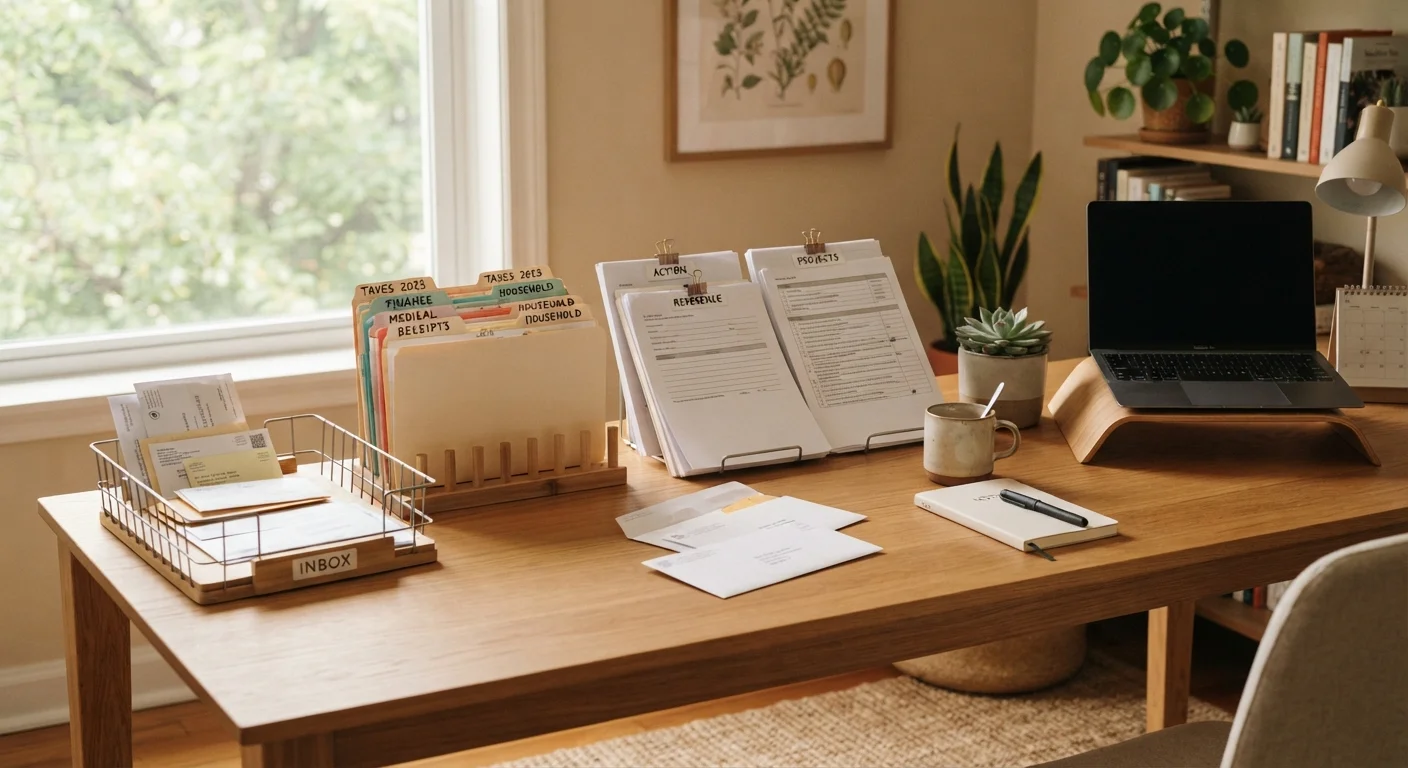
Before beginning the sort, gather your supplies and clear your workspace. A good paper system has four physical components: an inbox tray for new arrivals, an active folder for things awaiting action, a filing structure for long-term reference documents, and a shredder for sensitive discards.
What you will need
Gather every paper pile into one place
Collect all loose papers from countertops, tables, shelves, bags, and drawers and bring them to your work surface. Include mail, school notices, receipts, manuals, and any other stray documents. Seeing the full volume at once is clarifying-it makes the problem concrete and prevents you from addressing only part of the backlog.
Sort every sheet into three categories
Create three physical zones on your work surface: Action (needs a response, payment, or follow-up), File (worth keeping for reference), and Discard (shred or recycle). Pick up each item once and make a decision immediately. If you cannot place something in under 10 seconds, set it in a small "decide later" stack-but limit that stack to five items maximum.
Process the Action pile first
For each item in the Action pile, determine the next physical step: pay a bill, sign a permission slip, make a call, schedule an appointment. If an action takes fewer than two minutes, do it now. For longer tasks, note each one on a to-do list and store the corresponding paper in a clearly marked "To Do" folder or slot in your inbox tray. Do not let action items drift back into a general pile.
Set up a simple filing structure
Use broad category labels rather than highly specific ones to reduce the friction of filing. Practical categories for most households include: Financial (bank statements, tax documents), Insurance, Medical, Home (mortgage, lease, utilities, repair receipts), Vehicles, School & Kids, and Warranties & Manuals. File each document from your File pile into the appropriate folder. If a category is large, subdivide it by year rather than by topic.
Shred and recycle the Discard pile
Separate the Discard pile into items requiring shredding (anything with personal identifiers, financial data, or signatures) and items safe to recycle as-is (junk mail addressed generically, catalogs, non-personalized flyers). Shred sensitive documents immediately or place them in a closed container reserved solely for shredding. Do not let shredder candidates accumulate unsecured.
Reduce incoming paper at the source
After clearing the backlog, shift focus to reducing the inflow. Opt into paperless billing and statements for recurring accounts. Register with the DMA mail preference service or similar opt-out registries to reduce unsolicited mail. For school notices and forms that arrive digitally, create a dedicated email folder rather than printing them. The goal is to make paper the exception rather than the default.
Establish a weekly paper maintenance habit
Set aside 10 minutes once a week-same day and time each week-to clear your inbox tray. Sort new arrivals into Action, File, or Discard. File the File items immediately rather than letting a secondary pile form. Over time this habit prevents backlog from re-forming, making each weekly session faster than the last.
Shred Before You Toss
Documents containing your name, address, account numbers, Social Security information, or signatures should never go directly into the recycling bin. Identity theft commonly exploits improperly discarded paperwork. Use a cross-cut or micro-cut shredder for any document with personal or financial identifiers before disposal.
Don't Discard Key Documents
Some records must be retained for legal or financial reasons-tax returns, property deeds, insurance policies, and medical records among them. Before purging old paperwork, verify how long each document type should be kept. The IRS, your state, and individual institutions may each have different retention requirements.
Switch to Paperless Billing Now
Most banks, utilities, and insurers allow you to opt into electronic statements at no cost. Going paperless for recurring bills is one of the highest-impact single steps you can take to reduce incoming paper volume. Set a reminder to enroll one account per week until the switch is complete.
Once the initial backlog is cleared and the system is in place, the challenge shifts from organizing to maintaining. Systems fail when the maintenance habit isn't built in, which is why the weekly 10-minute session in Step 7 is the most important step of all. For households tackling paper as part of a broader declutter, our first-time decluttering guide offers a useful starting framework. And if you find yourself weighing whether to keep one central filing spot versus spreading papers to where they're used, this comparison of storage philosophies may help you decide what fits your household best.
The content provided on our blog site traverses numerous categories, offering readers valuable and practical information. Readers can use the editorial team’s research and data to gain more insights into their topics of interest. However, they are requested not to treat the articles as conclusive. The website team cannot be held responsible for differences in data or inaccuracies found across other platforms. Please also note that the site might also miss out on various schemes and offers available that the readers may find more beneficial than the ones we cover.